Comparing Joomla vs WordPress is not about finding the “best CMS” in general. Instead, the right CMS depends on your website goals, team skills, budget, SEO strategy, security needs, ecommerce plans, and long-term maintenance.
Joomla vs WordPress: Which CMS Is Right for You?
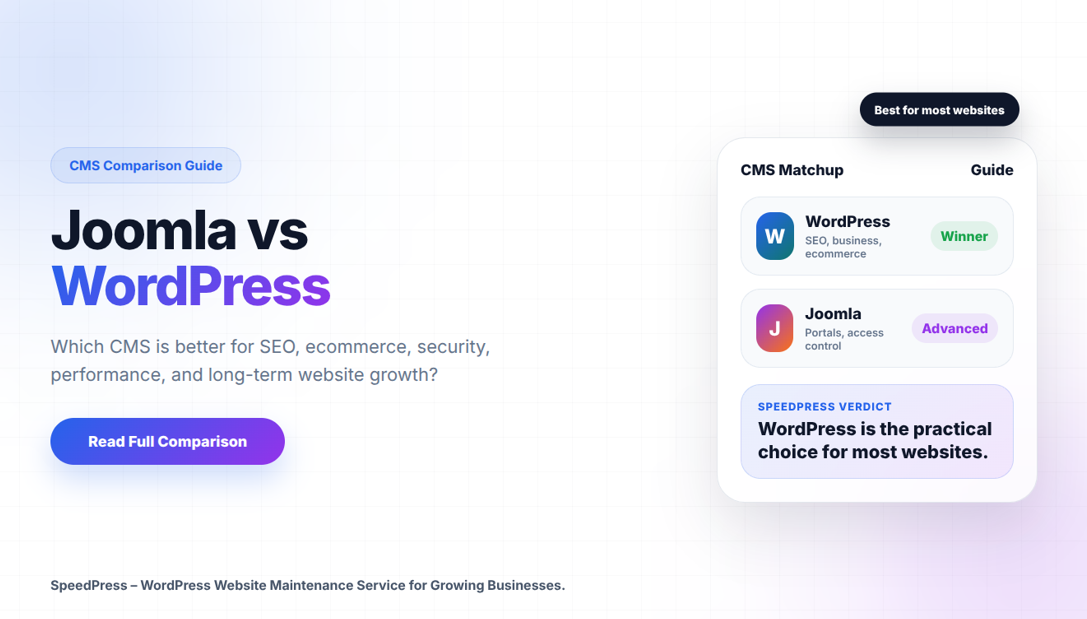
WordPress is the better CMS for most business websites, blogs, landing pages, ecommerce stores, SEO-driven websites, and marketing teams. In most cases, it is easier to use, optimize, extend, and maintain.
Joomla is better for projects that need complex user permissions, structured content, multilingual workflows, and portal-style architecture. However, it is powerful and usually requires more technical knowledge.
Which CMS Is Better for Most Websites?
For most businesses, WordPress is the more practical choice because it offers stronger SEO tools, a larger plugin ecosystem, easier publishing, wider developer availability, and better long-term flexibility.
On the other hand, Joomla is still useful for advanced content structures, multilingual sites, and permission-heavy projects. However, its learning curve and smaller ecosystem make it less suitable for many small businesses and marketing teams.
Joomla vs WordPress Market Share and Maintenance Status
As of July 2026, WordPress is used by 41.5% of all websites and holds 59.2% CMS market share according to W3Techs. Meanwhile, Joomla is used by 1.2% of all websites and holds 1.7% CMS market share.
Joomla is still actively maintained, with Joomla 6.1.2 released on July 7, 2026. Therefore, Joomla is not dead, but WordPress remains the stronger default choice for most websites focused on SEO, scalability, easier management, and broad technical support.
Joomla vs WordPress: Quick Comparison
| Area | WordPress | Joomla |
|---|---|---|
| Ease of use | More newbie-friendly, and for editors, more useful for marketing teams | More technical learning curve |
| SEO | Good support for plugins, clean structure and control over technical SEO | Plenty of built-in SEO, but fewer SEO tool options |
| Design | Extensive ecosystem of themes and page builders | Good templates, smaller marketplace |
| Extensions | Massive plugin ecosystem | Strong extensions, fewer options |
| Content structure | Most suitable for pages, posts, blogs, landing pages, ecommerce | Strong for complex structured content |
| User permissions | Good, extendable with plugins | Stronger built-in access control |
| Ecommerce | WooCommerce is mature and extensively supported | Possible through extensions, but less common |
| Maintenance | Makes it easier to get support and developers | Requires more specialized Joomla knowledge |
| Best for | Business, blog, SEO, ecommerce and marketing sites | Portals, membership structures, multilingual websites, and complex content projects |
What Is WordPress?
WordPress is an open-source Content Management System (CMS) used to build websites, blogs, ecommerce stores, directories, learning platforms, booking websites and business sites. In addition, WordPress.org recommends PHP 8.3 or greater, MariaDB 10.6+ or MySQL 8.0+, HTTPS, and Apache or Nginx as a modern baseline for performance and security.
Its biggest strength is flexibility. For example, you can begin with a basic brochure site and gradually branch out into ecommerce, membership, booking, forms, multilingual content, SEO optimization, performance enhancement and custom development.
WordPress works beautifully if your website relies on:
- Organic search traffic
- Content marketing
- Conversion-focused landing pages
- Fast publishing workflows
- Scalable design systems
- Easy editor access
- Long-term support availability
WordPress 7.0 “Armstrong” was released on May 20, 2026. Moreover, it introduced a modern dashboard, AI-integrated WordPress features, enhanced customization tools, new blocks, design tools, and expanded developer tooling.
What Is Joomla?
Joomla is another open-source CMS. It is reliable, mature and technically sound. In particular, Joomla is traditionally respected for powerful content organization, multilingual capabilities, access control and structured site architecture.
For Joomla 6.x, the official technical requirements list PHP 8.4 as recommended and PHP 8.3.0 as supported. Additionally, Joomla 6.x supports MySQL 8.0.13+, MariaDB 10.6+, and PostgreSQL 14.0+ as supported database options, depending on the server configuration. It also recommends at least 256MB PHP memory limit and supports SEO URLs through Apache mod_rewrite or IIS URL Rewrite.
Joomla 6.1.2 is a security and bugfix release for the Joomla 6.x series.
Joomla is a reasonable option when you have:
- Complex user permissions
- Multi-level content workflows
- Structured content types
- Editorial approval processes
- Multilingual architecture
- Portal-style websites
The drawback is not capability. Instead, the downside is usability, ecosystem size, developer availability, and the learning curve for non-technical people.
WordPress or Joomla: Which CMS Is Easier to Manage?
WordPress has a less steep learning curve, especially for business owners, marketers, content writers and junior editors. It has a simpler dashboard, familiar block editor and almost every task can be done without touching code.
Typical WordPress tasks are straightforward:
- Create a page.
- Add content blocks.
- Optimize the title and meta description.
- Add internal links.
- Publish.
- Monitor performance in Google Search Console and analytics tools.
However, Joomla can do most of the same things, but with a more technical admin experience. For instance, users that are new to Joomla may find the structure by categories, modules, menus, articles, access levels and templates a bit disjointed.
For agencies, this matters. As a result, a client usable CMS leads to fewer support tickets, reduced training time and faster publishing.
Joomla vs WordPress for SEO: Which CMS Performs Better?
Joomla and WordPress can do well on Google. However, from crawlability, content quality, site architecture, internal linking to Core Web Vitals, schema markup and indexation control all the way up to technical maintenance, SEO success depends on these components.
The SEO ecosystem is more extensive for WordPress, so it gets the edge. For example, plugins such as Rank Math, Yoast SEO, SEOPress, AIOSEO, Redirection, Schema Pro and performance plugins streamline effort for technical SEO in larger implementations.
WordPress is better for:
- SEO-friendly blog structures
- Content hubs and topic clusters
- Schema markup
- XML sitemaps
- Redirect management
- Canonical tags
- WooCommerce SEO
- Local SEO pages
- Programmatic landing pages
- Editorial workflows
Joomla also comes with built-in SEO features, such as Search Engine Friendly (SEF) URLs, metadata fields, and multilingual support. That said, WordPress does have better tooling for technical SEO teams as well as more integrations and more documentation.
In our experience at SpeedPress, we tend to recommend WordPress for SEO led websites. This is because it allows for better auditing, optimizing, maintaining and scalability without tightly locking the client into a narrow tech workflow.
Design and Customization
The ecosystem of themes, block patterns as well as page builders is much greater for WordPress. As a result, teams have strong options to create proper layouts with Elementor, Bricks, Kadence, GeneratePress, Astra, Blocksy, Divi and native block themes.
Joomla templates are powerful but have a smaller marketplace. In addition, customization generally needs an advanced understanding of modules, positions, overrides and template logic.
Choose WordPress if you require expedited design implementation primarily for landing pages and reusable sections, conversion-driven configuration, or are planning to make visual updates regularly.
However, select Joomla if the structure of your site carries more weight than marketing diversity.
Plugins vs Extensions
WordPress uses plugins. Joomla uses extensions. Although both expand core functionality, WordPress has the bigger marketplace and third-party support.
WordPress plugin categories include:
- SEO
- Security
- Caching
- Forms
- Ecommerce
- Membership
- LMS
- Multilingual
- Booking
- CRM integrations
- Analytics
- Schema
- Image optimization
The risk is plugin overload. For example, if your WordPress site is poorly maintained and you have too many plugins, it can become slow, insecure or unstable. However, avoiding WordPress is not the answer. Professional plugin governance is the better approach.
What is a good WordPress maintenance process?
- Installing only necessary plugins
- Checking plugin reputation and update frequency
- Removing abandoned plugins
- Testing updates on staging
- Monitoring PHP errors
- Running security scans
- Optimizing database tables
- Reviewing performance after major changes
Security: Both Are Secure When Maintained Properly
Both WordPress and Joomla can be made secure. In most cases, the majority of the security issues arise from weak passwords, out-of-date extensions, bad hosting, abandoned plugins, insecure themes, missing backups or poor server configuration.
A big reason for this is that WordPress is more popular, which means it will be attacked more often. However, this doesn’t mean WordPress is any less secure. Instead, it means that maintenance discipline is essential.
So, what makes for a secure WordPress or Joomla site:
- Core, plugins, extensions and themes updated
- Strong admin passwords
- Two-factor authentication
- Limited administrator accounts
- Web application firewall
- Malware scanning
- Daily backups
- Staging environment
- HTTPS
- Least-privilege access
- Server-level hardening
For low-risk sites, SpeedPress suggests monthly maintenance at the absolute minimum. However, for ecommerce, membership, and lead generation sites, they offer weekly or real time monitoring.
Performance and Core Web Vitals
When built properly, WordPress can be blazing fast. However, it can also be sluggish because of things such as page builders, unoptimized images, 3rd-party scripts, bad hosting and bloated plugins creating a lot of overhead.
Joomla can perform well, especially on lean builds. Still, WordPress has a lot more performance tools, managed hosting options, CDN integration, caching plugins and image optimization workflows.
For WordPress performance, prioritize:
- Quality hosting
- Lightweight theme
- Object caching
- Page caching
- Optimized images
- Clean database
- Minimal plugins
- Critical CSS optimization
- Lazy loading
- Reduced third-party scripts
CMS is important, but implementation is even more important.
Ecommerce: WordPress Is Usually Better
Generally speaking, WordPress with WooCommerce is the better pick for ecommerce. WooCommerce has a mature ecosystem for payments, shipping, subscriptions, product feeds, SEO, email marketing, analytics, inventory, and checkout customization.
Joomla can run ecommerce through extensions, but it is less common for modern online stores. Therefore, WordPress with WooCommerce usually gives businesses more integrations, more support options, and a larger ecommerce ecosystem.
Use WordPress for:
- Small to medium ecommerce stores
- Digital products
- Service checkout
- Membership payments
- Subscription websites
- SEO-driven product catalogs
- WooCommerce customization
Use Shopify if you want hosted simplicity with less technical control. Meanwhile, use Joomla ecommerce mainly when the wider project already depends on Joomla architecture.
Joomla vs WordPress for Developers
Both CMSs allow developers to build serious websites. However, WordPress has the advantage in talent pool, code examples, commercial tools, and hiring flexibility.
WordPress development commonly involves:
- Custom themes
- Child themes
- Block development
- Custom post types
- Advanced custom fields
- REST API
- WooCommerce hooks
- Plugin development
- Performance engineering
With a structure in place, Joomla development is powerful. However, it is harder to find experienced Joomla developers in most markets.
For business continuity, WordPress is usually the safer practical choice because support, developers, plugins, and documentation are easier to find.
Common Mistakes When Choosing a CMS
Avoid these mistakes:
- Choosing Joomla simply because it has more features and add-on functionalities than the others
- Choosing WordPress and then installing too many plugins
- Ignoring hosting requirements
- Skipping staging updates
- Using a page builder without having a plan for performance
- Forgetting long-term maintenance costs
- Evaluating the features of a CMS without thinking about who will be using it
- Migrating without a plan for URL migration, redirects, maintaining metadata and internal links
- Treating security as a one time setup
Joomla vs WordPress — Your Ultimate Guide to Choosing the Right CMS Step by Step
Use this simple decision process.
Define the website goal
First, decide whether it is a blog or business site, ecommerce store, portal, directory or membership platform.
Check the content model
In general, WordPress is the better choice for simple pages and posts. However, Joomla may be better for complex structured content.
Review the team skill level
Generally speaking, non-technical marketers work more swiftly within WordPress.
Audit SEO needs
If organic growth is the core focus, WordPress generally provides better tooling.
Estimate maintenance cost
Next, consider updates, security, backups, plugin reviews, developer availability and troubleshooting.
Test publishing workflow
Before choosing the CMS, let real users create and edit pages.
Plan for scale
Finally, think about future ecommerce, multilingual content, integrations and redesigns.
Expert Recommendation
When it comes to SEO, content marketing, business websites, ecommerce, landing pages with the freedom that plugins provide for long-term support, WordPress is hands down the best all-around CMS for your needs.
However, use Joomla if your project needs sophisticated access controls, structured content separation, multilingual associations, editorial workflows and if anyone on your team is comfortable with a more technical CMS.
For most businesses comparing Joomla vs WordPress, WordPress remains the more practical solution. It is easier to use, easier to optimize, easier to extend and easier to maintain. Joomla still has its use, but it is suitable for much more specific projects.
SpeedPress advocates WordPress because the site has to generate leads, rank on Google, load quickly, convert visitors and have manageable technical overhead by non-technical teams.
FAQs About Joomla vs WordPress
Is WordPress better than Joomla?
Yes, WordPress is better than Joomla for most websites because it is easier to use, stronger for SEO workflows, more flexible for design, and supported by a wider plugin and developer ecosystem. However, Joomla is better for more structured content and permission-heavy websites.
Is Joomla still worth using?
Yes. Joomla is still actively maintained and useful for portals, multilingual websites, complex content structures, and rule-based user access control. However, it is less commonly selected for basic business websites.
Joomla Vs WordPress – Which one is SEO-Friendly?
WordPress is usually more SEO-friendly for most teams because it has stronger SEO plugins, simpler content workflows, more integration options and more available technical SEO tools. Meanwhile, Joomla has decent search engine potential, but WordPress is easier to optimize at scale.
Which CMS would beginners find easier to use?
WordPress is easier for beginners. In contrast, Joomla is more feature-rich, with built-in complexity around menus, modules, categories and access levels.
Can I migrate from Joomla to WordPress?
Yes. It is possible to transfer a Joomla site to WordPress, but you have to do it safely. For example, you have to transfer content, images, metadata, URLs, redirects, internal links, users, forms and SEO settings.
Which is the best CMS for ecommerce?
Most of the time, WordPress is the better ecommerce platform because WooCommerce has its own ecosystem offering stronger support for payment processing, shipping, search engine optimization (SEO), subscriptions and store customizations.
What is the best small business CMS?
WordPress is a better fit for most small businesses because it is more manageable, more optimizable, and easier to support over time.