Ultimate UX Blueprint :Core Web Vitals Optimization WordPress:
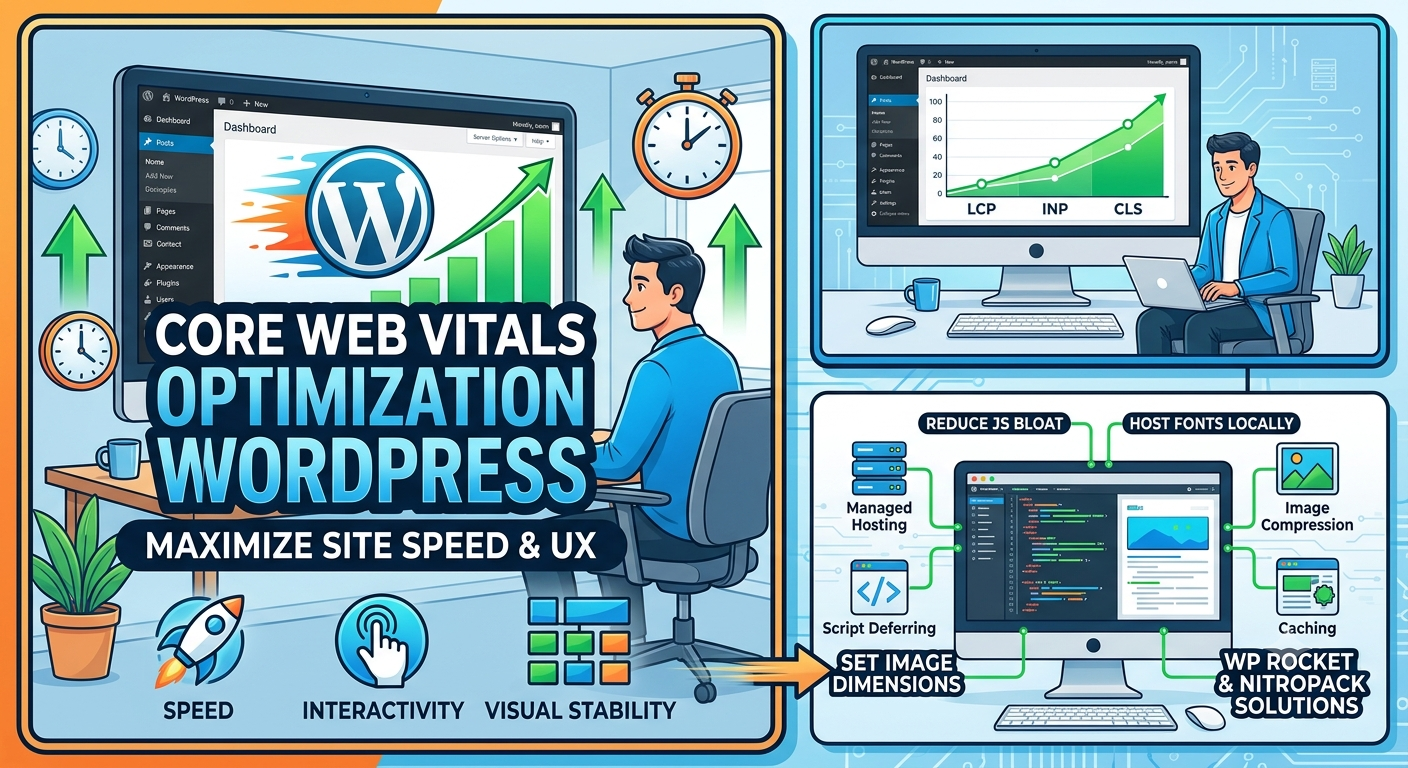
Achieving peak performance for your WordPress site requires optimizing your Core Web Vitals Largest Contentful Paint (LCP), Interaction to Next Paint (INP), and Cumulative Layout Shift (CLS) by upgrading your hosting infrastructure, streamlining script execution, and reserving explicit element dimensions to deliver an exceptional user experience that boosts search engine rankings. Google measures these standardized metrics directly from real-world Chrome visitors over a rolling 28-day window to evaluate how fast, responsive, and visually stable your pages feel. WordPress powers over 40% of the web, yet many sites trail platforms like Shopify and Wix in mobile pass rates due to plugin bloat, unoptimized images, and heavy page builders. By implementing server-level caching, preloading hero elements, deferring non-essential JavaScript, and hosting fonts locally, you build a lightning-fast digital experience that keeps readers engaged and converts casual visits into lasting business growth.
What Are the Core Pillars of Core Web Vitals Optimization WordPress?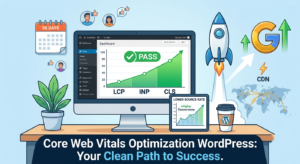
Every memorable online journey begins with a smooth, frictionless entry. When a visitor lands on your WordPress site, Google tracks three specific metrics to quantify their experience. Largest Contentful Paint (LCP) measures loading performance by tracking how quickly the primary content element often a high-impact hero image or main heading renders on screen. A strong LCP score shows your audience that your site is ready for immediate interaction.
The second metric, Interaction to Next Paint (INP), evaluates real-time responsiveness across every click, tap, and key press throughout a visit. When a user taps a navigation menu or submits a form, INP tracks the delay before the browser displays a visual update. Finally, Cumulative Layout Shift (CLS) measures visual stability by tracking unexpected layout jumps while resources load in the background. Mastering these three pillars ensures your site delivers speed, immediate feedback, and structural reliability on every device.
Why Does Real User Experience Drive Modern SEO Success?
Engineers and digital marketers rely heavily on field data gathered through the Chrome User Experience Report (CrUX) to assess true site health. While synthetic “lab tests” provide immediate feedback during development, Google uses actual performance metrics from real humans to calculate search rankings. Passing these field-data thresholds directly informs Google’s ranking algorithms, giving high-performing sites a tangible visibility advantage.
Focusing on Core Web Vitals optimization WordPress strategies directly translates into higher retention and increased revenue. Research demonstrates that a single-second delay in page load time reduces conversions by up to 7%, while triggering higher bounce rates from frustrated users. When you prioritize human-centric speed, visitors stay longer, read more pages, and trust your brand to deliver information without unnecessary delays.
How Do You Boost LCP and Eliminate Server Delays?
Improving your LCP score starts at the foundational layer: your web server. Many WordPress site owners begin on budget shared hosting environments, where fluctuating resource limits push Time to First Byte (TTFB) past 800 milliseconds. Transitioning to managed WordPress hosting solutions provides dedicated server-level caching that slashes TTFB down to under 200 milliseconds, giving your site an instant speed advantage.
Beyond infrastructure, guiding the browser to discover critical images early drastically improves loading performance. Adding a <link rel="preload"> tag alongside the fetchpriority="high" attribute to your hero image in the HTML <head> instructs the browser to prioritize that element above all secondary assets. Crucially, avoid applying lazy-loading to above-the-fold assets, as delaying your hero element intentionally degrades your LCP metric.
How Can You Resolve INP Issues Caused by Heavy Scripts?
When a button click feels sluggish, excessive JavaScript running on the browser’s main thread is almost always the main culpri. Complex plugins, dynamic sliders, and embedded tracking scripts constantly execute code, freezing the browser and delaying visual feedback. Unchecked script execution creates a frustrating experience for mobile visitors who expect immediate responses to their touch inputs.
You can restore lightning-fast responsiveness by taking control over how scripts load across your pages. Lightweight utility plugins allow you to selectively turn off unused scripts on specific pages where they serve no purpose. Furthermore, leveraging “Delay JavaScript” features built into top-tier caching tools ensures third-party analytics and marketing scripts wait until an actual user interaction occurs before executing, keeping the main thread clear for immediate input processing.
How Do You Fix Layout Shifts to Improve CLS?
Visual stability creates a calm, professional experience where text remains stationary while supporting elements load. High CLS values occur when the browser cannot anticipate the dimensions of incoming media elements, forcing lower page content to jump downward unexpectedly. This jarring movement causes users to misclick links or lose their reading position midway through an article.
Eliminating layout shifts requires setting explicit width and height attributes on every image, video frame, and embedded iframe. Defining these dimensions allows the browser to reserve the exact pixel area before rendering the file. Additionally, using CSS min-height declarations to pre-allocate container space for dynamic elements such as banner ads and popups prevents surrounding text from shifting when those elements dynamically populate.
Which WordPress Themes Deliver the Best Baseline Speed?
Your choice of WordPress theme sets the baseline performance boundary for every page you build. Traditional drag-and-drop page builders like Elementor or Divi bundle heavy stylesheet libraries and complex script chains, creating persistent overhead that hinders both LCP and INP scores. Overcoming these built-in handicaps requires extensive customization and ongoing manual maintenance.
Migrating your site toward modern block-based architectures like the native Gutenberg editor unlocks immediate performance gains. Paired with ultra-lightweight themes such as GeneratePress or Kadence, your site benefits from clean HTML markup and minimal asset payloads. This lightweight foundation streamlines Core Web Vitals optimization WordPress efforts, enabling your pages to pass Google’s thresholds naturally without relying on complex, layered optimizations.
How Do Optimization Plugins Automate Site Acceleration?
While manual code adjustments yield precise results, comprehensive optimization plugins offer powerful automation to handle technical tasks at scale. Real-world performance data analyzing over two million websites shows that dedicated, all-in-one performance platforms achieve high field pass rates:
| Plugin Solution | Real-World Pass Rate | Primary Architecture Style |
| NitroPack | 54% | Cloud-based external processing |
| Perfmatters | 51% | Granular lightweight script management |
| WP Rocket | 50% | Self-hosted caching and file optimization |
Each platform approaches performance from a unique angle. NitroPack offloads complex optimization routines to external cloud servers, while WP Rocket delivers a self-hosted caching setup designed for ease of use. Perfmatters complements your setup by providing precise control over individual asset delivery, allowing you to disable specific plugin styles and scripts where they are not needed.
Why Should You Avoid Running Multiple Caching Plugins Simultaneously?
A common temptation among site owners is installing several speed plugins at once in hopes of multiplying their performance gains. However, stacking multiple caching plugins inevitably leads to code conflicts, broken page layouts, and duplicate file minification routines that slow down your site instead of accelerating it. To maintain operational stability, select a single primary caching solution that aligns with your technical capabilities and host environment. Pairing one robust caching core with a targeted asset manager provides clean, predictable script delivery without risking site breakage or memory overhead.
How Do Local Custom Fonts Protect Visual Stability?
Custom typography adds distinct personality to your site, but externally hosted web fonts often introduce unexpected layout shifts. When browsers download external font files from third-party networks, text typically renders initially using a fallback font, shifting rapidly once the custom font finishes loading. Hosting font files locally on your own server eliminates external connection overhead and speeds up font delivery. Combining local hosting with the font-display: swap directive alongside CSS size-adjust properties allows you to match fallback font dimensions closely with your primary web font. This precise alignment prevents text elements from expanding or contracting during rendering, securing a stable CLS score.
What Role Does Image Compression Play in LCP Performance?
Images make up the largest portion of transferred data on most WordPress pages, making image optimization essential for LCP health. Serving uncompressed JPEG or PNG files places a heavy transfer burden on mobile networks, extending download times and delaying visual delivery. Adopting modern image formats like WebP or AVIF reduces file sizes significantly while maintaining crisp visual quality. Modern media plugins automatically convert uploaded images into these next-generation formats upon upload. Combined with proper responsive image sizing, serving optimized media assets drastically reduces LCP load durations for users across all screen sizes.
How Does Early Resource Discovery Improve Loading Timelines?
Browsers fetch assets based on how they encounter them while parsing your page’s HTML structure. When critical background images or custom fonts hide deep inside CSS stylesheets, the browser discovers them late, creating artificial bottlenecks in your loading timeline. Using resource hints like preconnect and dns-prefetch establishes early connections to essential third-party origins before the browser requests specific assets. By declaring these connections early in the <head> tag, you remove handshake latency and ensure critical performance assets load as quickly as possible.
What Steps Keep Your WordPress Site Fast Long-Term?
Maintaining strong Core Web Vitals performance is an ongoing operational commitment rather than a one-time project. As you publish new blog posts, introduce updated plugins, and expand site features, performance can gradually degrade if left unmonitored. Establishing routine audit workflows ensures your site maintains its competitive speed advantage over time. Continuously monitoring real-user field data through Google Search Console alerts you to emerging performance trends across your desktop and mobile pages. Regularly auditing active plugins, cleaning up unused media files, and keeping your core WordPress installation updated ensures your platform remains lean, responsive, and fully optimized for human visitors and search engines alike.
FAQ
What is the ideal LCP score for WordPress sites?
An optimal LCP score is 2.5 seconds or less. Achieving a score within this green threshold requires fast hosting TTFB, preloaded hero assets, and modern image formats.
How does INP differ from the old FID metric?
Interaction to Next Paint (INP) measures responsiveness across every interaction throughout a visitor’s entire session, whereas First Input Delay (FID) only measured the delay of the single first interaction.
Can page builders pass Google Core Web Vitals?
Yes, page builders can pass, but doing so often requires extensive manual optimization, server-level caching, and strict script management to offset built-in code overhead.
How often does Google update field data for Core Web Vitals?
Google updates Chrome User Experience Report (CrUX) field data continuously over a 28-day rolling window, meaning changes implemented today will reflect gradually in your Search Console reports.
Do I need a CDN for Core Web Vitals optimization WordPress?
A Content Delivery Network (CDN) is highly recommended if you serve a global audience. CDNs store static assets closer to your visitors, reducing network latency and improving both LCP and TTFB metrics.
Ready to unlock maximum speed, elevate your search rankings, and deliver an unmatched browsing experience for your visitors?
Contact us for solution today and let our technical specialists transform your WordPress performance.