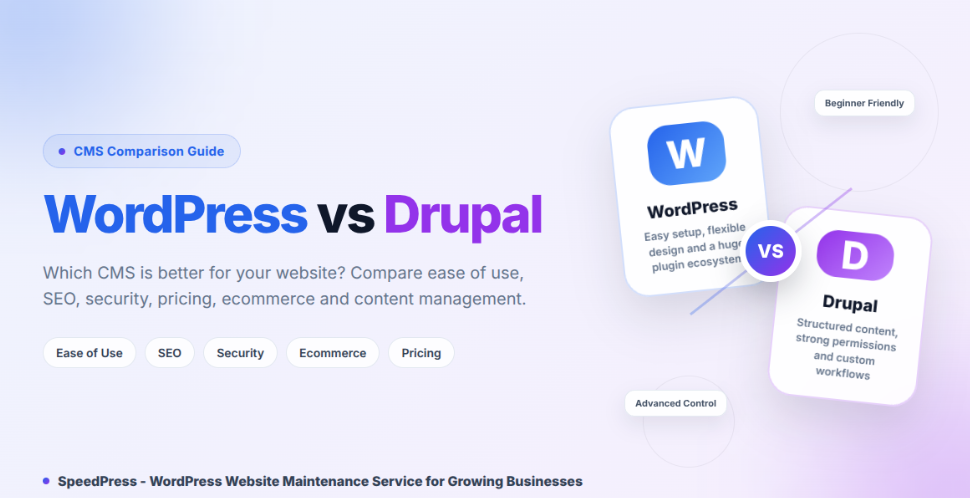
Choosing between WordPress vs Drupal can feel confusing. Both can build a strong website, but they suit different users and projects.
WordPress is easier to learn and manage. Drupal gives you more control over complex content and user access.
Your choice can affect cost, security, and daily website management. This guide explains every key difference in simple English.
WordPress vs Drupal: Quick Answer
WordPress is better for most beginners, blogs, business websites, and regular online stores.
Drupal is better for large websites with structured content, detailed permissions, multiple languages, or custom workflows.
Both can support SEO, security, and good performance when managed correctly.
What Is WordPress?
WordPress is a free, open-source content management system.
A content management system, or CMS, helps you create and manage website content. You can publish pages, posts, images, videos, and products without coding every page.
WordPress uses themes and plugins:
- A theme controls your website’s design.
- A plugin adds new features.
You can use WordPress for:
- Blogs
- Business websites
- Portfolios
- News websites
- Membership websites
- Online stores
WordPress suits people who want a fast and simple setup. Its dashboard is also easy to understand.
However, a highly customised website may need several plugins. This can increase maintenance work.
What Is Drupal?
Drupal is also a free, open-source CMS.
It is designed for flexible content and advanced website structures. Drupal lets you create content types, fields, roles, permissions, and publishing workflows.
Common Drupal use cases include:
- Government websites
- University websites
- Large company websites
- News portals
- Multilingual platforms
- Complex directories
Drupal gives experienced teams more control. However, setting it up often requires technical knowledge.
WordPress vs Drupal: Quick Comparison
| Area | WordPress | Drupal |
|---|---|---|
| Use | Easier | More technical |
| Best for | Small to medium business sites | Complex, structured platforms |
| Content | Flexible | Highly structured |
| Access | Standard roles | Advanced permissions |
| Languages | Usually needs plugins | Built-in core tools |
| Store | WooCommerce | Drupal Commerce |
| Cost | Usually lower | Usually higher |
What You Need Before Starting
Write down your website needs before choosing a CMS.
Prepare the following:
- A domain name
- A suitable hosting plan
- An SSL certificate
- A page and content list
- Required user roles
- Language requirements
- A realistic budget
- A backup plan
- Time for maintenance
Check the hosting requirements before buying a plan. Your hosting must support your selected CMS and its server requirements.
You should also decide who will manage the website. This can affect your final choice.
Ease of Use: WordPress vs Drupal
WordPress is easier for most beginners.
Its dashboard has clear menus for:
- Posts
- Pages
- Media
- Themes
- Plugins
- Settings
The WordPress block editor lets you add content using blocks. You can insert text, images, buttons, videos, tables, and columns.
Many hosting companies also offer one-click WordPress installation.
Drupal includes more advanced site-building options. You may need to understand:
- Content types
- Fields
- Views
- Roles
- Permissions
- Workflows
Learning these features takes time. However, the extra control is useful for complex projects.
WordPress vs Drupal Website Design
WordPress makes basic website design easier.
You can install a theme and change:
- Colours
- Fonts
- Menus
- Headers
- Footers
- Page layouts
When you use a block theme, go to:
Dashboard → Appearance → Editor
The Site Editor lets you change templates, headers, footers, and global styles.
This option only appears when your active theme supports the Site Editor.
Drupal also supports themes and layout tools. Developers can create custom designs using templates, CSS, and JavaScript.
WordPress is practical for quick design work. Drupal is useful for advanced and custom design systems.
Content Management: Which Platform Is Better?
Drupal is stronger for structured content.
Structured content stores information in separate fields.
For example, a course page may include:
- Course name
- Teacher name
- Price
- Start date
- Duration
- Location
Drupal can make each field searchable and reusable. It can also display the same information in different lists or layouts.
WordPress starts with posts and pages. Developers can add custom post types and taxonomies.
Extra fields may require custom code or a suitable plugin.
WordPress works well for most standard websites. Drupal may be easier to organise when a website has large amounts of complex content.
Plugins and Modules
WordPress extensions are called plugins.
Drupal extensions are called modules.
They can add features such as:
- Contact forms
- SEO tools
- Payment options
- Security features
- Backups
- Membership systems
- Social sharing
Before installing an extension, check:
- Its last update date
- CMS compatibility
- Support quality
- Security history
- User reviews
- Active maintenance
Create a recent backup before important updates.
Remove plugins and modules you no longer use. Unused extensions add extra code and may create security or performance problems.
User Roles and Permissions
A normal WordPress website includes these main roles:
- Administrator
- Editor
- Author
- Contributor
- Subscriber
Super Admin is only available on a WordPress Multisite network. It manages network-wide settings and websites.
The standard roles are enough for many blogs and small business websites.
Advanced permissions may require custom code or a plugin.
Drupal groups permissions into roles. The available permissions can change when you install new modules.
You can control who can:
- View content
- Create content
- Edit content
- Publish content
- Delete content
- Manage settings
This is useful when several teams or departments share one website.
WordPress vs Drupal for Multilingual Websites
WordPress does not include a complete multilingual publishing system by default.
Most WordPress websites use a multilingual plugin.
Another option is WordPress Multisite. You can create a separate website for each language.
However, Multisite does not provide complete translation management by itself. It also needs extra setup and maintenance.
Drupal includes four multilingual modules in its core system:
- Language
- Interface Translation
- Content Translation
- Configuration Translation
You must enable and configure these modules. You must also choose which content types and fields can be translated.
WordPress may suit a small bilingual website. Drupal can be useful for detailed multilingual publishing workflows.
WordPress vs Drupal for SEO
Both platforms can support search engine optimisation, or SEO.
SEO helps search engines understand and display your content.
WordPress SEO plugins can help you manage:
- SEO titles
- Meta descriptions
- XML sitemaps
- Canonical URLs
- Redirects
- Schema markup
- Social sharing data
Drupal can support similar technical SEO features. Some features may require contributed modules or custom setup.
Your CMS cannot guarantee higher search rankings.
You still need:
- Useful content
- Fast pages
- Clear headings
- Internal links
- Trusted backlinks
- Regular updates
- A clear website structure
Which CMS Is More Secure?
WordPress and Drupal can both be secure.
Security depends on:
- Regular updates
- Trusted extensions
- Secure hosting
- Strong passwords
- Limited user access
- Regular backups
- Server security
WordPress users should update:
- WordPress core
- Themes
- Plugins
Drupal publishes security advisories for Drupal core and contributed projects.
Drupal’s detailed permission system can help large teams. However, poor maintenance can make either platform unsafe.
The CMS name alone cannot protect your website.
Which CMS Is Faster?
WordPress and Drupal can both load quickly.
Website speed depends on:
- Hosting quality
- Caching
- Image sizes
- Theme quality
- Plugins or modules
- Database setup
- Custom code
- Third-party scripts
A simple WordPress website can load very quickly.
Drupal can also manage large content systems and high traffic when configured correctly.
Test your actual website before making a final decision.
WordPress vs Drupal for Online Stores
WordPress commonly uses the free WooCommerce plugin.
Core WooCommerce supports:
- Physical products
- Virtual products
- Downloadable products
Separate extensions can add:
- Bookings
- Memberships
- Subscriptions
Drupal uses Drupal Commerce.
It provides the main systems for:
- Products
- Carts
- Orders
- Checkout
- Store management
Some shipping services, payment gateways, subscriptions, or special rules may need extra modules or custom work.
WooCommerce is often easier for a regular online store.
Drupal Commerce can suit a highly customised ecommerce website.
WordPress vs Drupal Pricing
WordPress and Drupal software are free.
However, running a website still costs money.
You may need to pay for:
- Domain registration
- Web hosting
- Premium themes
- Plugins or modules
- Website design
- Development
- Security
- Backups
- Maintenance
- Technical support
- Website migration
WordPress often costs less for a simple website.
Drupal projects may cost more because they often require specialist development.
There is no fixed total price. Your final cost depends on your website’s needs.
Advantages and Disadvantages of WordPress
Key Benefits of WordPress
- Easy to learn
- Quick to set up
- Many themes and plugins
- Simple content editing
- Strong ecommerce options
- Large support community
Main Drawbacks of WordPress
- Plugin quality can vary
- Complex websites may need many plugins
- Advanced permissions need extra work
- Heavy themes can reduce speed
- Custom setups need careful maintenance
Drupal Advantages and Disadvantages
Key Benefits of Drupal
- Strong content structure
- Detailed user permissions
- Core multilingual modules
- Flexible publishing workflows
- Suitable for complex organisations
- Strong custom development options
Main Drawbacks of Drupal
- Harder for beginners
- Setup needs more planning
- Development may cost more
- Updates need careful testing
- Small websites may not need its advanced features
Tips and Common Mistakes
Plan Before Choosing
List your pages, users, languages, products, forms, and integrations.
This may help you avoid an expensive website rebuild.
Avoid Unnecessary Extensions
Every extension adds more code and maintenance.
Install only trusted plugins or modules that your website needs.
Test Updates Safely
Use a staging website before changing your live website.
A staging website is a private test copy. It lets you find problems before visitors see them.
Check Long-Term Costs
A website needs support after launch.
Include hosting, updates, security, backups, and technical support in your budget.
Choose Based on Real Needs
Do not choose a CMS only because it is popular.
Match the platform with your project, team, budget, and skills.
Safety and Important Considerations
Use a strong and unique administrator password.
Enable two-factor authentication when available.
Give each user only the access they need. Remove unused accounts quickly.
Keep your CMS, server, themes, plugins, and modules updated.
Create automatic backups. Store copies outside your main hosting account.
Test your backups regularly. A backup is not helpful when you cannot restore it.
Follow the privacy, cookie, payment, accessibility, and copyright rules in your country.
Troubleshooting
When an Update Breaks the Website Design
Possible Cause:
A theme, plugin, or module may conflict with the update.
Solution:
Restore your latest backup. Test the update on a staging website before trying again.
Why the Website Becomes Slow
Possible Cause:
Large images, weak hosting, heavy themes, or too many extensions may cause delays.
Solution:
Compress images, remove unused tools, enable caching, and review your hosting plan.
Fixing a Missing Website Feature
Possible Cause:
Your current plugin or module may not provide that feature.
Solution:
Check a trusted alternative. A custom feature may require a developer.
Restoring the Missing WordPress Site Editor
Possible Cause:
Your active theme may not support the Site Editor.
Solution:
Go to:
Dashboard → Appearance → Themes
Test a block theme before changing your live website.
Frequently Asked Questions
Is Drupal Better Than WordPress?
Drupal is better for complex content, detailed permissions, multiple languages, and advanced workflows.
WordPress is easier for blogs, business websites, portfolios, and regular online stores. Your team, budget, and website needs should guide your choice.
Is WordPress or Drupal Better for Beginners?
WordPress is usually easier for beginners.
Its dashboard and editor are simpler to understand. Drupal gives you more control, but learning and setup often take longer.
Which CMS Is Better for SEO?
Both platforms can support good SEO.
WordPress makes common SEO tasks easier through plugins. Drupal gives you strong control over structured content. Neither CMS can guarantee higher rankings.
Is Drupal More Secure Than WordPress?
Drupal provides detailed permissions and official security advisories.
WordPress can also be secure with trusted plugins, updates, backups, and safe hosting. Regular maintenance matters more than the platform’s name.
Which CMS Is Cheaper?
WordPress is often cheaper for a simple website.
Drupal may cost more when custom development is required. Final costs depend on hosting, extensions, design, development, and maintenance.
Can You Move From WordPress to Drupal?
Yes, but migration requires planning.
You need to review content, users, images, URLs, and website features. Some functions may need to be rebuilt. Always test the new website before launch.
Final Thoughts
The right WordPress vs Drupal choice depends on your actual website needs.
Choose WordPress when you need simple management, a faster setup, and ready-made tools.
Choose Drupal when you need structured content, advanced permissions, multiple languages, or custom workflows.
Both platforms require updates, backups, secure hosting, and regular care.
Write down your website requirements first. Then choose the CMS that gives you the features you need without adding unnecessary work.